Students searching for the first attempt SSLC result in Karnataka should use the official Karnataka Examination Results portal, not unverified social-media links or third-party result pages. For 2026, the Karnataka School Examination and Assessment Board (KSEAB) released the SSLC Exam 1 result on 23 April 2026.
This guide explains exactly how to check your marks, what information you need, how to read the online result, and why the Exam 1 result and the later consolidated result are not necessarily the same record.
Key Takeaways
- KSEAB announced the SSLC 2026 Exam 1 result on 23 April 2026.
- Use the official NIC-hosted Karnataka results portal to check your first attempt SSLC result.
- Keep your register number and date of birth as printed on the admission ticket ready.
- The online result is for immediate information; it is not the original marks card.
- A consolidated Exam 1 and Exam 2 “best marks” result was announced separately on 30 May 2026.
- If your result does not load or details appear incorrect, contact your school rather than relying on screenshots or unofficial websites.
What Does “First Attempt SSLC Result” Mean?
In Karnataka’s current SSLC examination system, the first regular public examination is identified as SSLC Exam 1. Therefore, when students and parents search for a first attempt SSLC result for 2026, they are generally looking for the SSLC 2026 Exam 1 Result.
This is different from a later examination or a combined record. KSEAB’s official results portal separately displayed:
| Result record | Official announcement date | What it represents |
|---|---|---|
| SSLC 2026 Exam 1 Result | 23 April 2026 | Result of the first SSLC examination |
| SSLC 2026 Consolidated Result of Exam 1 and 2 Best Marks | 30 May 2026 | A consolidated record using the better marks from Exam 1 and Exam 2 |
If you need proof of your original first-exam performance—for a school record, scholarship, admission form, or personal reference—check the Exam 1 result page first. If you appeared for Exam 2, read the requirements of the institution asking for the document before deciding whether it needs the Exam 1 result or the consolidated marks record.
Official Website to Check SSLC Exam 1 Marks
The official result service is hosted by the National Informatics Centre (NIC) for KSEAB.
Use this direct official page for the 2026 Exam 1 result:
SSLC 2026 Exam 1 Result – Karnataka Examination Results
You can also begin from the official Karnataka Examination Results portal, where available result links are listed.
Be careful with search results that use similar names, display excessive advertisements, ask for personal details beyond the basic result credentials, or promise “instant marks cards.” A legitimate result lookup should not require payment.
Details You Need Before Checking Your Result
Prepare the following before opening the portal:
- Register number
- Date of birth, exactly as printed on the SSLC admission ticket
- A stable internet connection
- A phone, tablet, or computer with an updated web browser
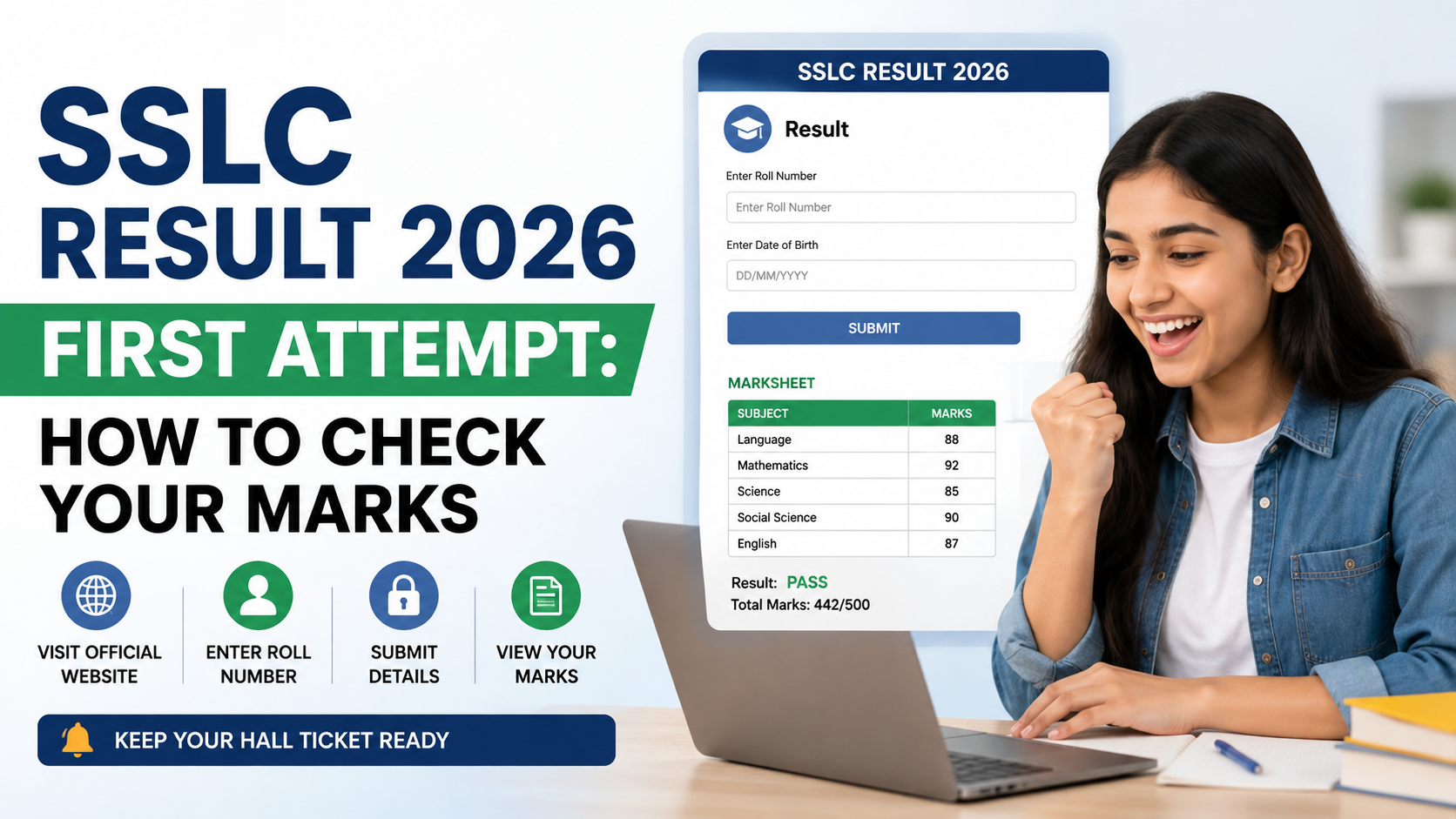
The official 2026 Exam 1 result page asks for the register number and date of birth. Enter the information carefully. A missing digit, a wrong date format, or a mismatch with the admission ticket can prevent the result from appearing.
Do not share your register number and date of birth publicly in comments, messaging groups, or social-media posts. These details are used to access a student’s result record.
How to Check the First Attempt SSLC Result Online
Follow these steps to view your marks safely.
Step 1: Open the official result page
Visit the SSLC 2026 Exam 1 Result page.
Check that the page identifies the result as “SSLC 2026 Exam - 1 Result” and refers to KSEAB or Karnataka Examination Results.
Step 2: Enter your register number
Type the register number exactly as shown on your admission ticket. Avoid adding spaces or changing letters and numbers.
Step 3: Enter your date of birth
Select or enter your date of birth exactly as it appears on the admission ticket. Verify the day, month, and year before submitting.
Step 4: Submit the form
Select the submit button and wait for the result page to load. On result days, heavy traffic can slow the portal. If the page does not open, wait a few minutes and try again rather than repeatedly refreshing the page.
Step 5: Verify the displayed details
Before focusing on marks, confirm that the result belongs to you. Check:
- Student name
- Register number
- Date of birth or other identifying details shown
- Subject-wise marks or result status
- Total marks, where displayed
If the student details do not match, do not use or share the page. Return to the form and check the credentials entered.
Step 6: Save a copy for reference
Download or print the result page if your device allows it. A saved PDF or printed copy can be useful while waiting for the official marks card from the school.
However, treat this only as a reference copy. The official result portal clearly states that results published online are for immediate information and cannot be treated as original marks sheets.
How to Read Your SSLC Result Correctly
A result page can be useful, but it should be read carefully. Start with identity details, then review each subject entry and the overall outcome.
Check subject-wise marks
Review each listed subject rather than looking only at the final result. This helps you identify:
- Subjects in which you performed strongly
- Subjects that may need attention for future study decisions
- Any entry that appears inconsistent with your expectations
A low score in one subject does not automatically tell you what action is available. Use official notices and school guidance for any post-result process.
Understand the difference between a result page and a marks card
The online page is an immediate digital result display. The original marks card is issued separately by the Board through the appropriate channel, usually via the school.
For admissions, document verification, or legal records, an institution may specifically require the original marks card, a school-attested copy, or another official document. Do not assume that a screenshot will be accepted.
Do not confuse Exam 1 marks with consolidated best marks
Students who appeared for Exam 2 may later see a separate consolidated result. KSEAB’s 2026 consolidated result announcement refers to the best marks across Exam 1 and Exam 2.
That does not mean the Exam 1 result has disappeared or that its original subject-wise performance should be ignored. The correct document depends on why you need it:
| Your purpose | Record to check first |
|---|---|
| Viewing first-exam performance | SSLC 2026 Exam 1 Result |
| Checking the later best-marks outcome after Exam 2 | Consolidated Exam 1 and Exam 2 result |
| Admission or document verification | Follow the institution’s stated document requirement |
| Original academic proof | Board-issued marks card obtained through the school |
What to Do If the Result Page Does Not Work
Result portals can experience high traffic, especially soon after a release. Use these practical steps before assuming there is a problem with your result.
If the website is slow or unavailable
- Wait for a short period and try again.
- Use the official Karnataka Examination Results homepage rather than a link shared in a message group.
- Try a different browser or switch between Wi-Fi and mobile data.
- Avoid entering your details on a lookalike website.
If you see an error after submitting details
First, compare the register number and date of birth with your admission ticket. The official result page may show an error if the credentials do not match.
If the details are correct and the issue continues, contact your school. Schools are the appropriate first point of contact for student-specific examination concerns.
If your displayed details or marks appear incorrect
Do not edit, circulate, or rely on the online page as proof. Take a clear screenshot for reference, note the time and date, and promptly contact the school administration. The school can guide you on the applicable official process.
Avoid trusting individuals who offer to “correct” results for money. Any legitimate post-result process must be communicated through KSEAB or your school.
Keeping Your Result Safe for Admissions
The first attempt SSLC result may be requested during admissions to Class 11, diploma courses, vocational programmes, or other education pathways. Keep an organised record of:
- Your register number
- Admission ticket
- Downloaded online result copy
- Original marks card when issued
- School communications related to results or documents
When filling an admission form, read the wording carefully. “Marks obtained,” “latest marks card,” “first attempt,” and “best marks” can mean different things depending on the institution. If a form is unclear, ask the admissions office for written clarification before submitting it.
Frequently Asked Questions
When was the SSLC 2026 Exam 1 result announced in Karnataka?
KSEAB’s official Karnataka Examination Results portal listed the SSLC 2026 Exam 1 Result as announced on 23 April 2026.
What credentials are required to check the first attempt SSLC result?
You need your register number and your date of birth as printed on the admission ticket.
Is the online SSLC result page the original marks card?
No. The Karnataka Examination Results portal states that online results are for immediate information and cannot be treated as original marks sheets. Obtain the official marks card through the prescribed Board and school process.
What is the difference between SSLC Exam 1 and the consolidated result?
Exam 1 is the first SSLC examination result. The consolidated result, announced separately on 30 May 2026, combines Exam 1 and Exam 2 using the better marks. Students who did not appear for Exam 2 should focus on their Exam 1 result and official marks card.
What should I do if I cannot find my result online?
Recheck the register number and date of birth against the admission ticket. If the problem persists, contact your school directly for assistance.
Conclusion
The official way to check the first attempt SSLC result for Karnataka in 2026 is through the KSEAB-linked Karnataka Examination Results portal using your register number and admission-ticket date of birth. The SSLC Exam 1 result was announced on 23 April 2026, while the Exam 1 and Exam 2 best-marks consolidated result was announced separately on 30 May 2026.
Check your details carefully, save the online page only as a reference, and collect the original marks card through your school. For any mismatch, portal error, or document requirement, contact the school and rely on official KSEAB guidance.