Checking an SSLC result via DigiLocker can help students securely retrieve a board-issued digital marksheet after their examination authority has published the record. It is especially useful when a physical marksheet has not yet reached the school, when an online application needs a document quickly, or when a student needs a verifiable copy for admission.
However, SSLC is not a single all-India examination. State boards use the term differently, and each board controls its own result publication and document availability. DigiLocker can display an SSLC marksheet only when the relevant board has issued that document through the platform. Always treat the board’s official result website as the primary source for result announcements.
Key Takeaways
- DigiLocker provides access to documents issued directly by participating boards; it does not independently declare examination results.
- Use only the official DigiLocker website, digilocker.gov.in, or its official mobile app.
- After signing in, search for your board under Education, select the relevant document, and enter the requested examination details.
- A document saved under Issued Documents is different from a file manually uploaded to DigiLocker.
- If your marksheet is unavailable, verify your details and contact the board or school rather than relying on unofficial result websites.
- Check subject marks, personal details, result status, and examination year before using the document for admission or applications.
Understand What “SSLC Result” Means in Your State
SSLC commonly refers to the Secondary School Leaving Certificate examination, generally associated with Class 10. But the examination authority, result portal, certificate format, and release schedule depend on the state or board.
For example:
- Karnataka’s SSLC examinations are administered by the Karnataka School Examination and Assessment Board (KSEAB).
- Kerala’s SSLC results are published through the state’s education authorities and official result platforms.
- Tamil Nadu uses the Class X/SSLC terminology through its Directorate of Government Examinations.
- Maharashtra generally refers to the Class 10 examination as SSC rather than SSLC.
This distinction matters because a DigiLocker search works only when you select the correct issuer. A student should not assume that every Class 10 board record will appear under the same document name or require identical details.
For 2026, official state portals show that result publication has varied by board. For instance, Karnataka’s official results portal records SSLC Exam 1 results announced on 23 April 2026 and the consolidated Exam 1 and 2 best-marks result announced on 30 May 2026. Kerala’s official KITE result portal lists SSLC 2026 results as available. These examples confirm why students should first identify their own board and its official result page.
What DigiLocker Does for SSLC Students
DigiLocker is a Government of India digital document platform maintained under the Digital India programme. It enables participating authorities to issue authentic digital documents directly into a user’s account.
For education records, DigiLocker can hold items such as:
- Class 10 marksheets
- Passing certificates
- Migration certificates, where issued by the board
- Other board or institution-issued academic documents
The important distinction is between two areas of the account:
| DigiLocker area | What it contains | Why it matters |
|---|---|---|
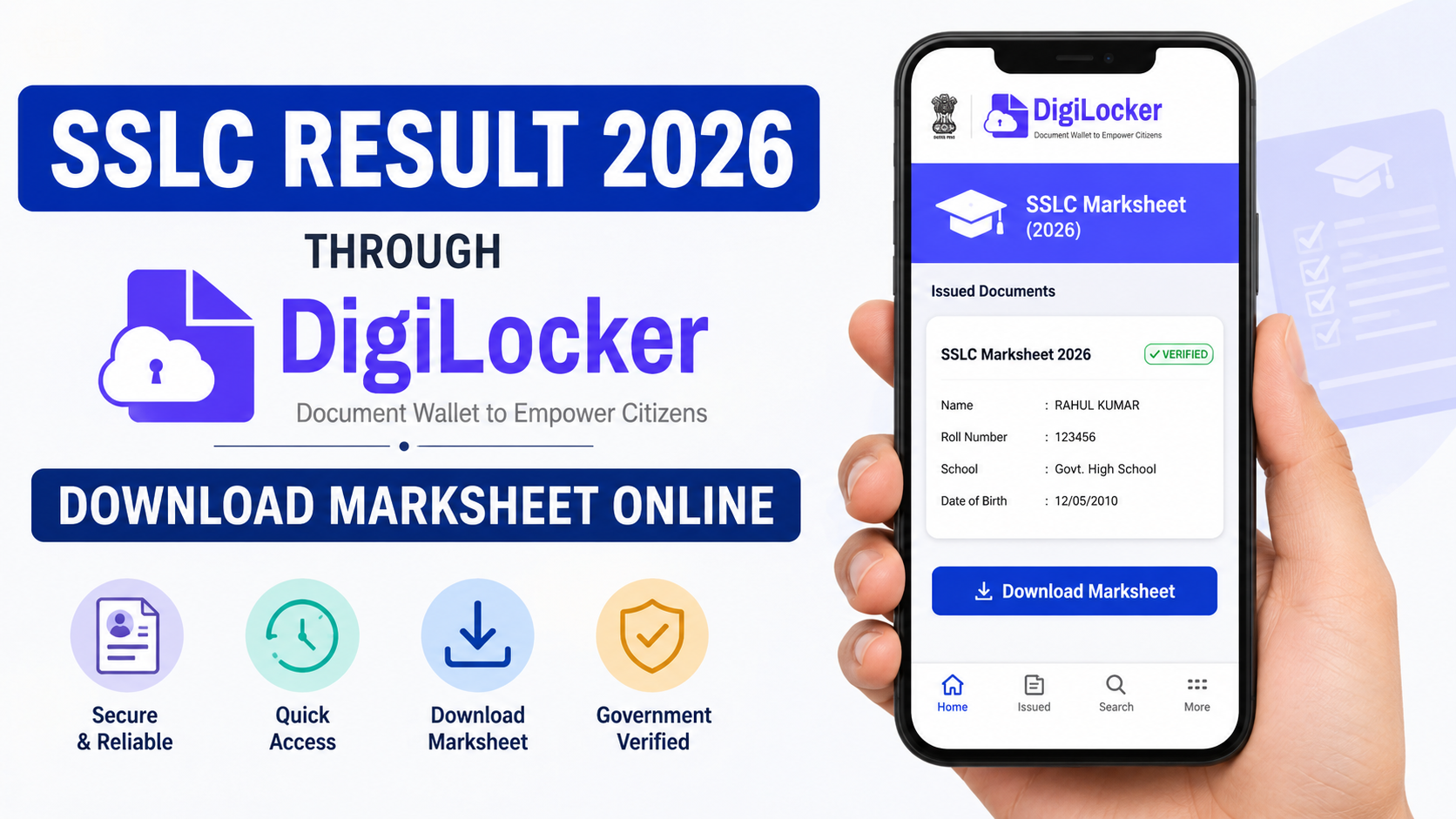
| Issued Documents | Documents pulled from an integrated board, department, or institution | This is the section to check for a board-issued SSLC marksheet. |
| Uploaded Documents | Files added manually by the account holder | An uploaded scan is not the same as a document issued by the board through DigiLocker. |
The National Academic Depository guidance explains that students can search for their board or institution in DigiLocker, enter the required details, and retrieve an available academic award into Issued Documents. Availability depends on the institution publishing the record to the DigiLocker/NAD ecosystem.
Requirements Before You Check Your SSLC Result via DigiLocker
Keep the relevant information ready before you begin. The exact fields vary by board, but DigiLocker may ask for one or more of the following:
- SSLC register number, roll number, or seat number
- Examination year
- Date of birth
- Name as recorded by the board
- School code or registration number, if requested
- Mobile number used to create or access your DigiLocker account
Use the details exactly as they appear on your admit card or official result record. A minor mismatch in spelling, date format, examination year, or register number can prevent the system from locating the document.
You also need a DigiLocker account. The official platform permits account registration using a mobile number or Aadhaar-based verification options. Do not share one-time passwords, Aadhaar details, passwords, or PINs with anyone claiming they can retrieve your result for you.
Step-by-Step: How to Check SSLC Result via DigiLocker
The following method reflects the general process described by DigiLocker and the National Academic Depository. Labels may appear slightly differently on the website and mobile app.
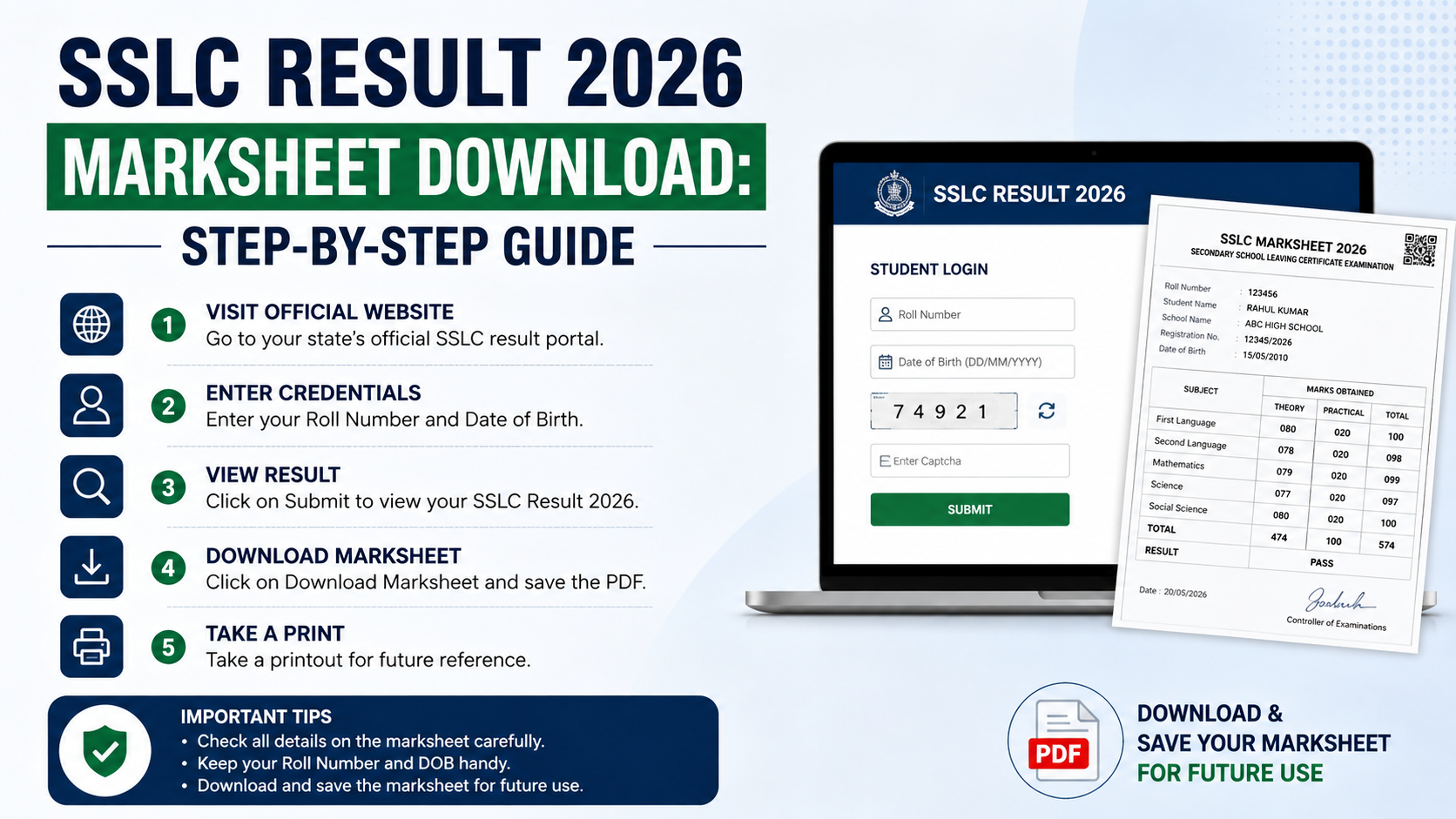
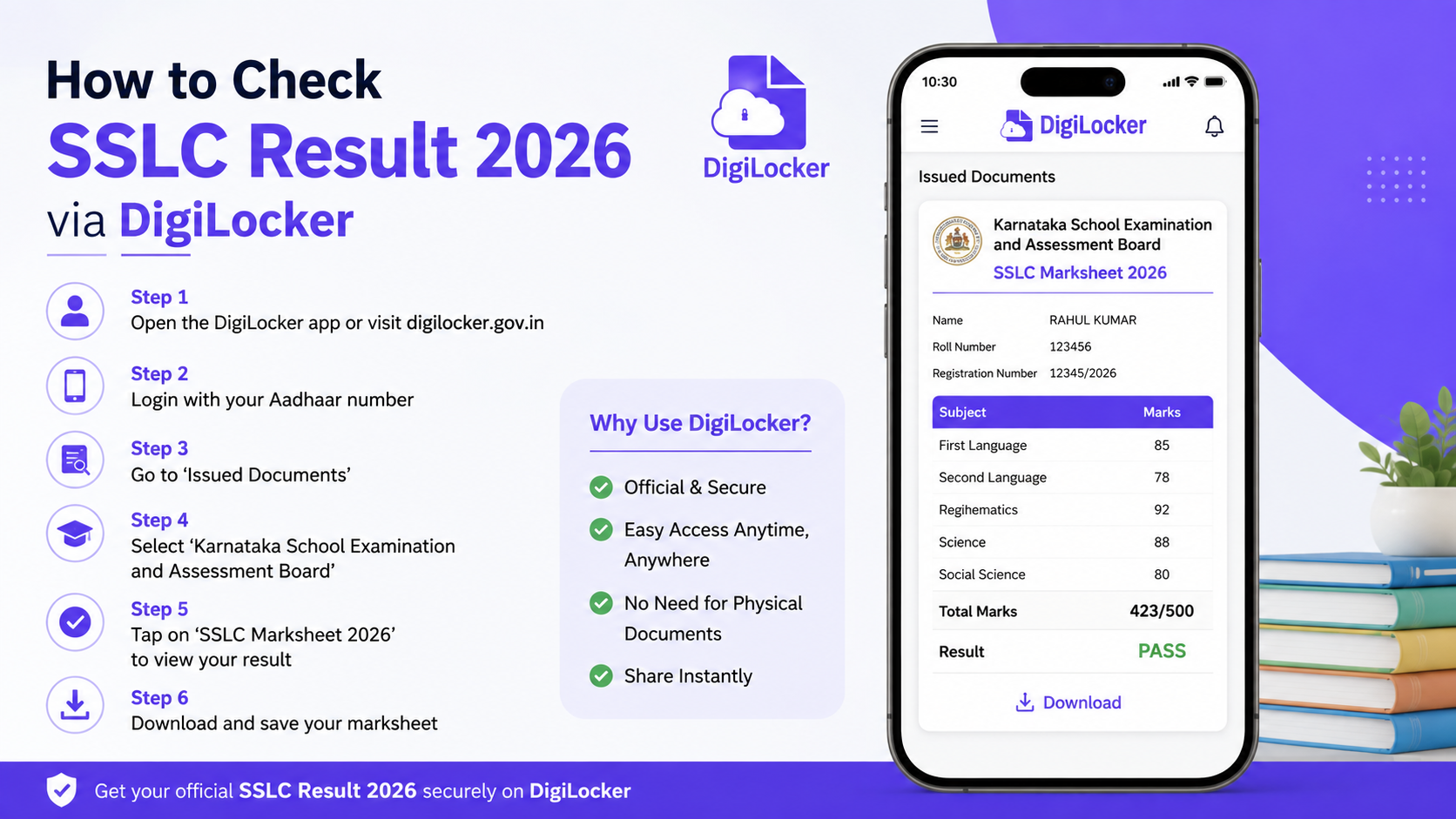
1. Open the official DigiLocker platform
Visit www.digilocker.gov.in in your browser or install the official DigiLocker app from your device’s recognised app store.
Check the website address carefully. Avoid links circulated through unknown social-media accounts, forwarded messages, or advertisements.
2. Sign in or create an account
Select Login if you already have a DigiLocker account. Enter the required mobile number or login details and complete the OTP process.
If you are a new user, choose Register and follow the official account-creation steps. Use a mobile number you can access, since it may be needed for OTP verification and account recovery.
3. Go to the document search area
After login, look for Browse Documents, Search Documents, or the equivalent education-document section. DigiLocker’s official guidance directs students to browse the Education category and select their board or institution.
Do not begin by uploading a screenshot of an online result. That only stores your own file; it does not retrieve the board-issued document.
4. Search for your board or examination authority
Use the search field or browse the education category to find your state board. Select the issuer only after confirming its name matches your SSLC examination authority.
Depending on your board, document options may include:
- SSLC Marksheet
- Class X Marksheet
- Statement of Marks
- Passing Certificate
- Secondary School Certificate
The wording can differ, so choose the document type that matches your need.
5. Enter the requested examination details
Fill in each field carefully. Most issuers require an examination year and a student identifier such as a register number or roll number. Some may ask for date of birth or additional fields.
Before selecting Get Document, check that:
- The examination year is 2026, where applicable.
- Your number is entered without missing or extra characters.
- Your date of birth uses the format requested on screen.
- You selected the correct board and document type.
6. Retrieve the document
Read the consent statement, tick the required checkbox if shown, and select Get Document. If the board record is available and the details match, DigiLocker should retrieve it.
The document is generally saved to Issued Documents. Open it and review the information before downloading or sharing it.
7. Download, save, or share securely
You may download a PDF copy for personal records or submit it where a digital document is accepted. Keep the original paper certificate or marksheet safe when your board issues it, especially if a school, employer, or institution specifically asks for the original.
When sharing, use DigiLocker’s official sharing or verification options where appropriate. Avoid posting your full marksheet publicly because it may contain personal information.
How to Confirm That the Result and Marksheet Are Correct
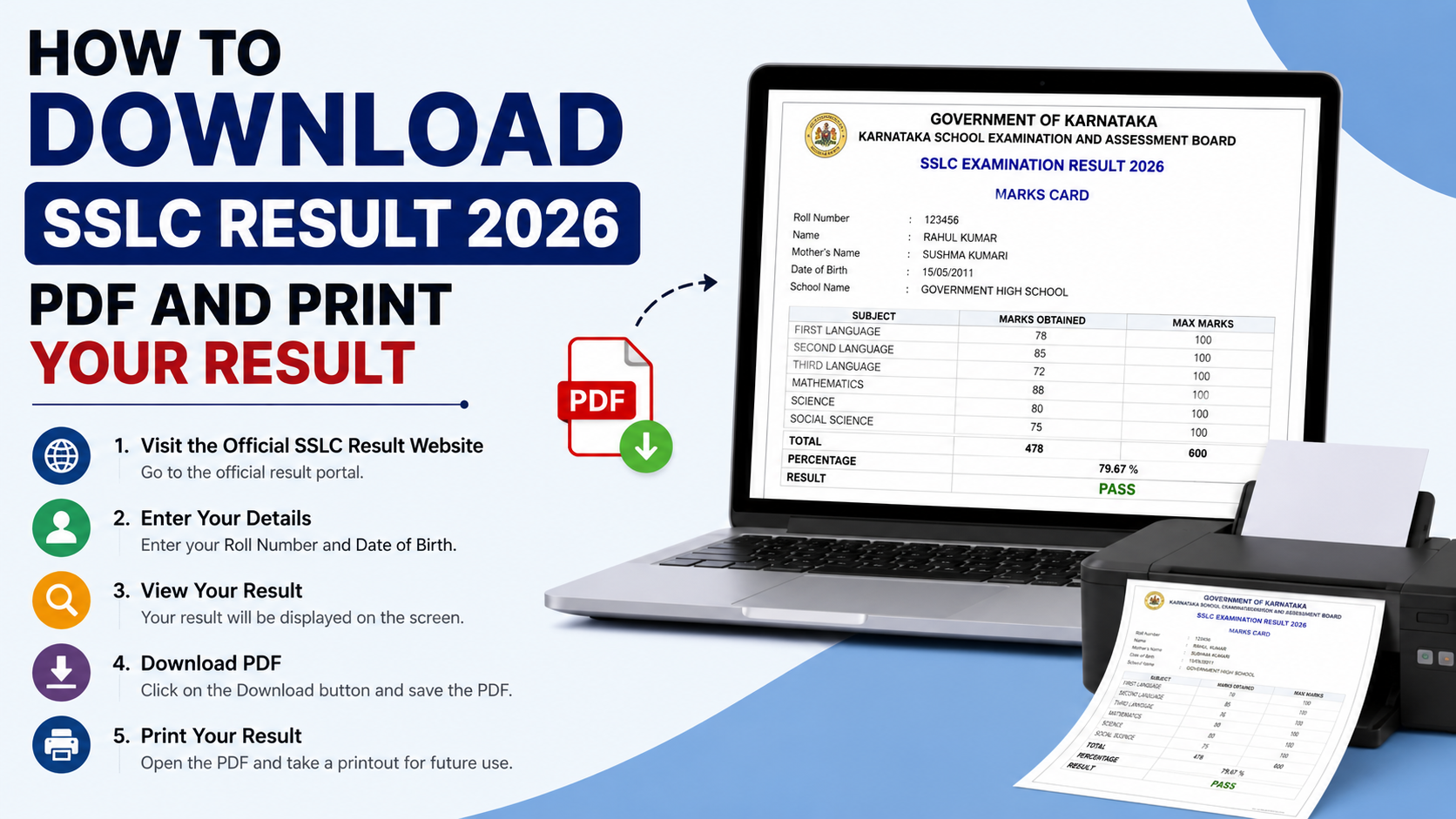
A retrieved marksheet should be reviewed just as carefully as a paper copy. Check the following immediately:
| Detail to check | Why it is important |
|---|---|
| Student name and date of birth | Confirms that the record belongs to you. |
| Roll/register number | Ensures the correct examination record was retrieved. |
| Board name and examination year | Prevents use of the wrong result or attempt. |
| Subject names and marks/grades | Important for admission eligibility and future applications. |
| Overall result or qualification status | Confirms whether the board has recorded the result as passed, compartment, or another applicable status. |
| Document type | A marksheet and a passing certificate are not always interchangeable. |
If any detail is incorrect, do not alter the downloaded file. Contact your school and the relevant board through official channels to understand the correction process.
Official Result Portal vs. DigiLocker: Which Should You Use?
Use both services for different purposes.
The board’s official result portal is the best place to confirm whether results have been announced and to view the initial result. For example, Kerala’s official SSLC results platform asks candidates for their register number and date of birth, while Karnataka’s official result portal publishes its SSLC result notices and links.
DigiLocker is most useful for retrieving the digital academic document after the board has made it available through the service.
A practical sequence is:
- Check your board’s official website for the SSLC 2026 result announcement.
- View your result using the board’s authorised portal.
- Log in to DigiLocker and search for the board-issued marksheet or certificate.
- Verify every detail before using the document for admission, scholarships, or other applications.
Do not assume that the marksheet will appear in DigiLocker at the exact moment results are declared. The issuing board controls when its data is published to DigiLocker.
What to Do If Your SSLC Marksheet Is Not Showing
A missing document does not automatically mean that your result is unavailable or incorrect. Work through these checks:
Verify your examination details
Re-enter the roll/register number, examination year, and date of birth exactly as requested. Use your hall ticket or official result record as the reference.
Confirm that you selected the right issuer
Search for the full board name instead of a generic term such as “SSLC.” Some boards may list documents under “Class X,” “SSC,” or another official name.
Check the board’s official result portal
If the official result portal displays your result but DigiLocker does not find the document, the board may not yet have published the record to DigiLocker or may use a different document-retrieval workflow.
Review Issued Documents, not Uploaded Documents
If you previously downloaded or uploaded a file, it may be in a different section. A board-issued record should appear under Issued Documents after successful retrieval.
Contact the correct authority
For document-data issues, start with your school and then follow the board’s official support procedure. DigiLocker’s NAD guidance notes that academic records become available only after the concerned institution publishes them on the platform.
Security Tips for Students and Parents
Result season often attracts phishing messages and fake result links. Follow these precautions:
- Use official board websites ending in recognised government domains where applicable.
- Access DigiLocker through digilocker.gov.in, not lookalike websites.
- Never provide OTPs, passwords, or Aadhaar information through phone calls or unverified links.
- Do not pay a third party to “unlock” or “generate” a DigiLocker marksheet.
- Save a local PDF only on a trusted device and avoid sharing it in public groups.
- Verify the receiving college or organisation’s document requirements before submitting a digital copy.
Frequently Asked Questions
Is DigiLocker the official place to check SSLC results?
DigiLocker is an official platform for accessing documents issued by participating authorities, but it does not replace your board’s official result portal. Use the board website to confirm result announcements and DigiLocker to retrieve an available digital marksheet or certificate.
Can every SSLC student get a 2026 marksheet on DigiLocker?
No universal guarantee applies. Your board must be integrated with DigiLocker and must publish the relevant 2026 record. Search for your board within the Education category. If it is not listed or the record cannot be found, use the board’s official portal and contact the board or school if necessary.
Is a DigiLocker-issued marksheet different from a scanned paper marksheet?
Yes. A document retrieved from an integrated issuer is shown in Issued Documents and originates from the issuing authority’s records. A scan or photo that you upload yourself is stored under Uploaded Documents and is not the same as an issuer-provided document.
What should I do if DigiLocker says no document was found?
First, confirm the board, document type, examination year, roll/register number, and date of birth. Then check your board’s official result website. If your result is visible there but the document is still unavailable in DigiLocker, contact your school or board through official channels.
Can I use a DigiLocker SSLC marksheet for admission?
Acceptance requirements vary by school, college, university, employer, and application portal. A DigiLocker-issued academic document is designed for secure access and verification, but you should confirm the receiving institution’s specific requirements, including whether it also requires an original paper document or a provisional certificate.
Conclusion
To check an SSLC result via DigiLocker, first rely on your own board’s official result announcement, then use DigiLocker’s Education document search to retrieve the available board-issued marksheet or certificate. Enter your examination details accurately, confirm that the document appears under Issued Documents, and review every field before sharing it.
Start with your board’s official result portal, keep your hall ticket details ready, and use only DigiLocker’s official website to access your academic record securely.