The SSLC result PDF is useful for checking your Class 10 result immediately, sharing a printed copy with your school, and keeping a record while you wait for the original mark sheet. For Kerala SSLC Examination March 2026 candidates, results are available through official Government of Kerala portals.
This guide explains how to view your result, save it as a PDF, print it, resolve common errors, and understand the difference between an online result copy and the original certificate.
Key Takeaways
- Kerala SSLC Examination March 2026 results are available on official portals operated by KITE and Pareeksha Bhavan.
- Keep your six-digit register number and date of birth exactly as shown on your hall ticket.
- The KITE result page provides a Print / Save as PDF option after the result is displayed.
- An online SSLC result PDF is for immediate reference; it is not the original mark sheet or certificate.
- Use only official
.kerala.gov.inand Government of Kerala result portals to protect your personal details. - Check every subject grade, name, register number, and school information before printing.
SSLC Result 2026: Know Which Board Applies to You
“SSLC” is used by more than one Indian state education system, so there is no single all-India SSLC result website. Always use the result portal of the board that conducted your examination.
This article covers the Kerala SSLC Examination March 2026 result. The official result services identify the examining authority as the Board of Public Examinations, Government of Kerala.
The verified official portals currently offering Kerala SSLC 2026 result access include:
| Official portal | Best use |
|---|---|
| KITE Kerala Results | View an individual SSLC 2026 result and use the Print / Save as PDF option |
| KITE SSLC result page | Direct SSLC result login page |
| Pareeksha Bhavan iExaMS SSLC portal | SSLC examination notices, result services, scrutiny and revaluation updates |
| Kerala Government examination-results portal | Alternative official result lookup service |
Do not assume that a similarly named website, a search advertisement, a social-media post, or a third-party education blog is an official result service. Verify the web address before entering your date of birth or register number.
What You Need Before Downloading the SSLC Result PDF
Keep your hall ticket beside you before opening a result portal. The official KITE SSLC page asks candidates to enter details printed on the hall ticket.
You will normally need:
- Your six-digit SSLC register number
- Your date of birth
- A mobile phone, computer, or tablet with a stable internet connection
- A browser that can print or save pages as PDF, such as Chrome, Edge, Firefox, or Safari
On the KITE portal, enter the date of birth in the format displayed on that page: dd/mm/yyyy. The Pareeksha Bhavan result page may display the date format as dd-mm-yyyy. Follow the format shown on the specific portal rather than changing details repeatedly.
Use your own credentials only. A register number and date of birth are personal examination details; avoid sending them in public chats or entering them on unfamiliar websites.
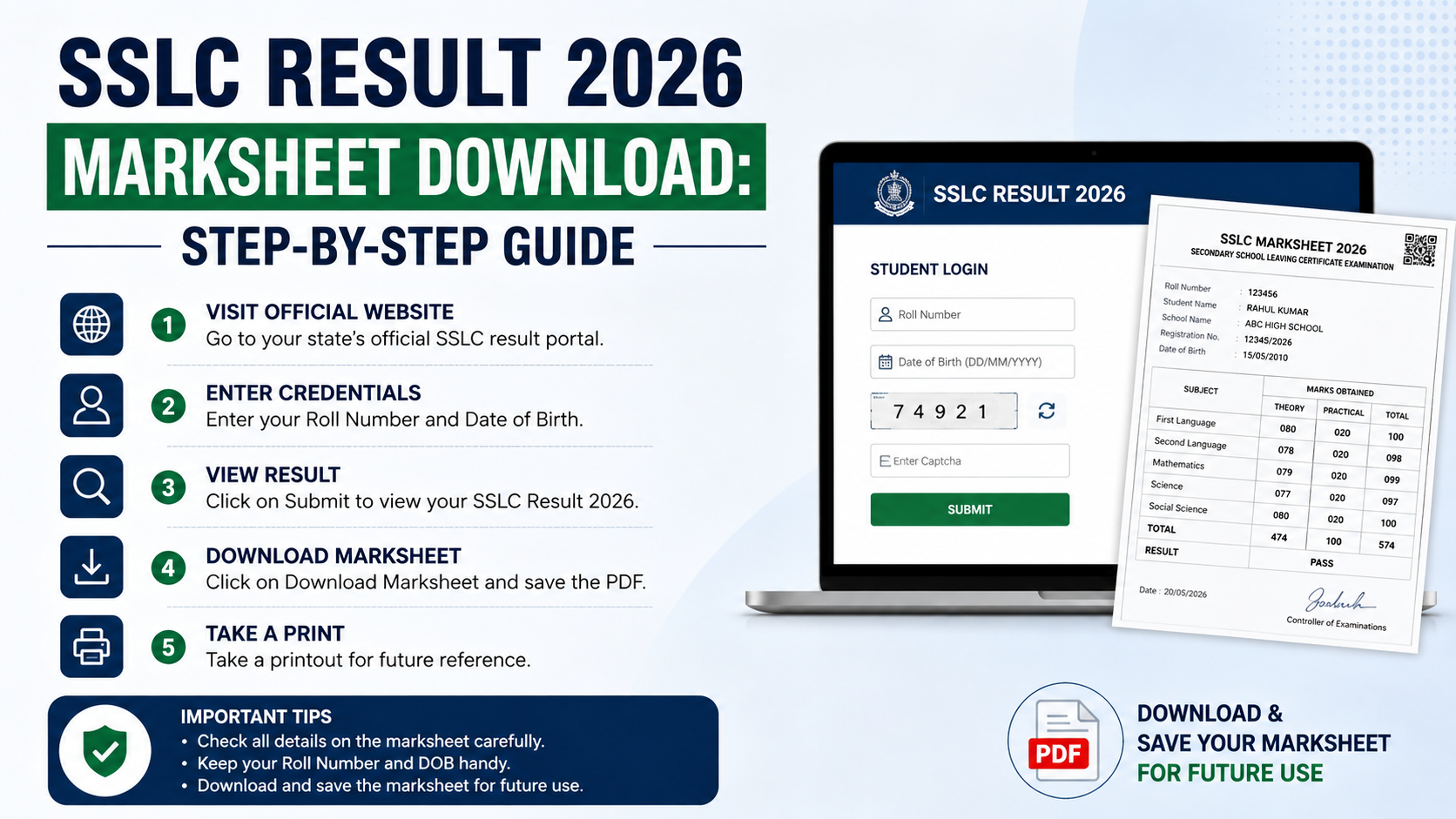
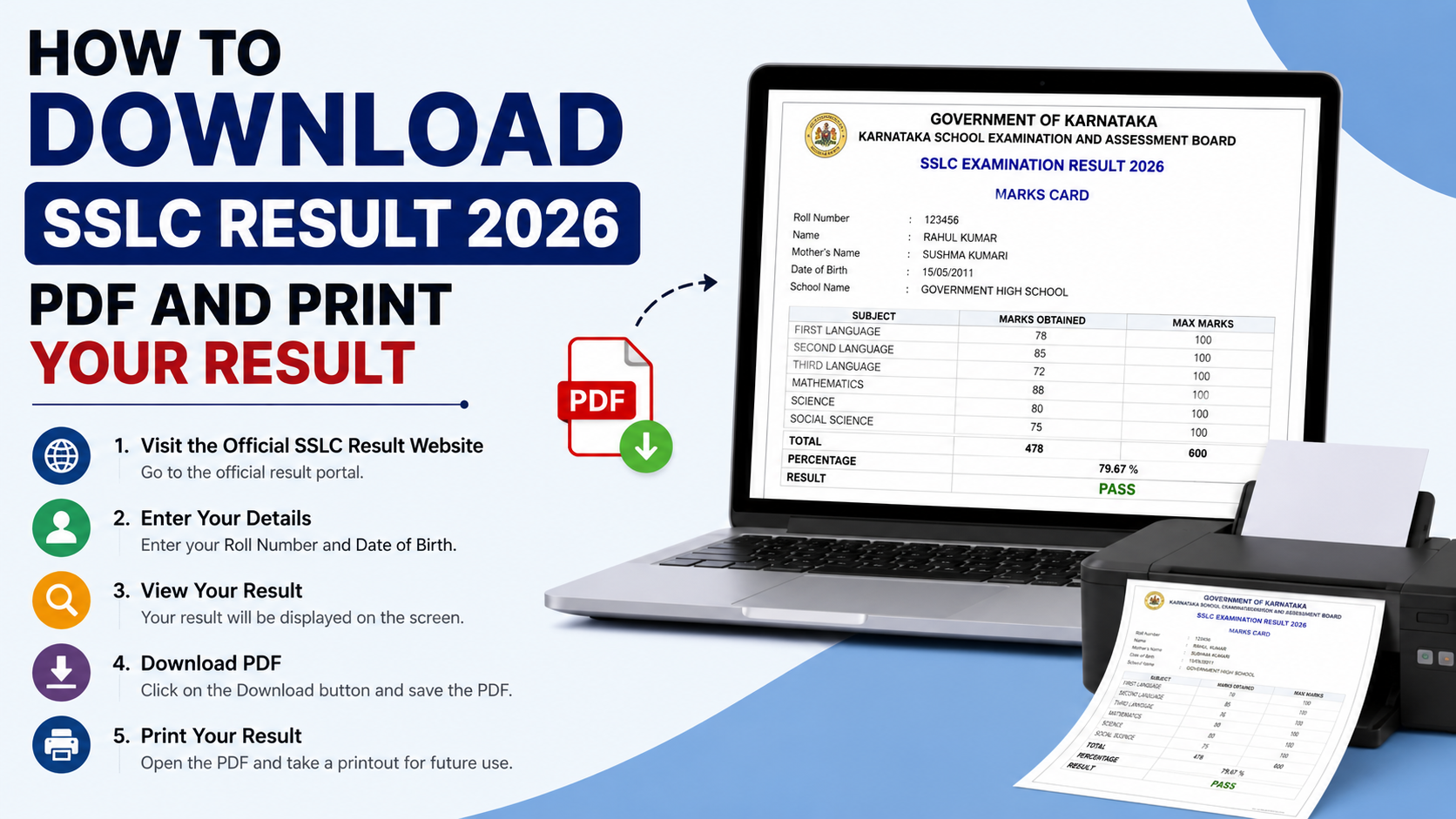
How to Check and Download Your SSLC Result 2026 PDF
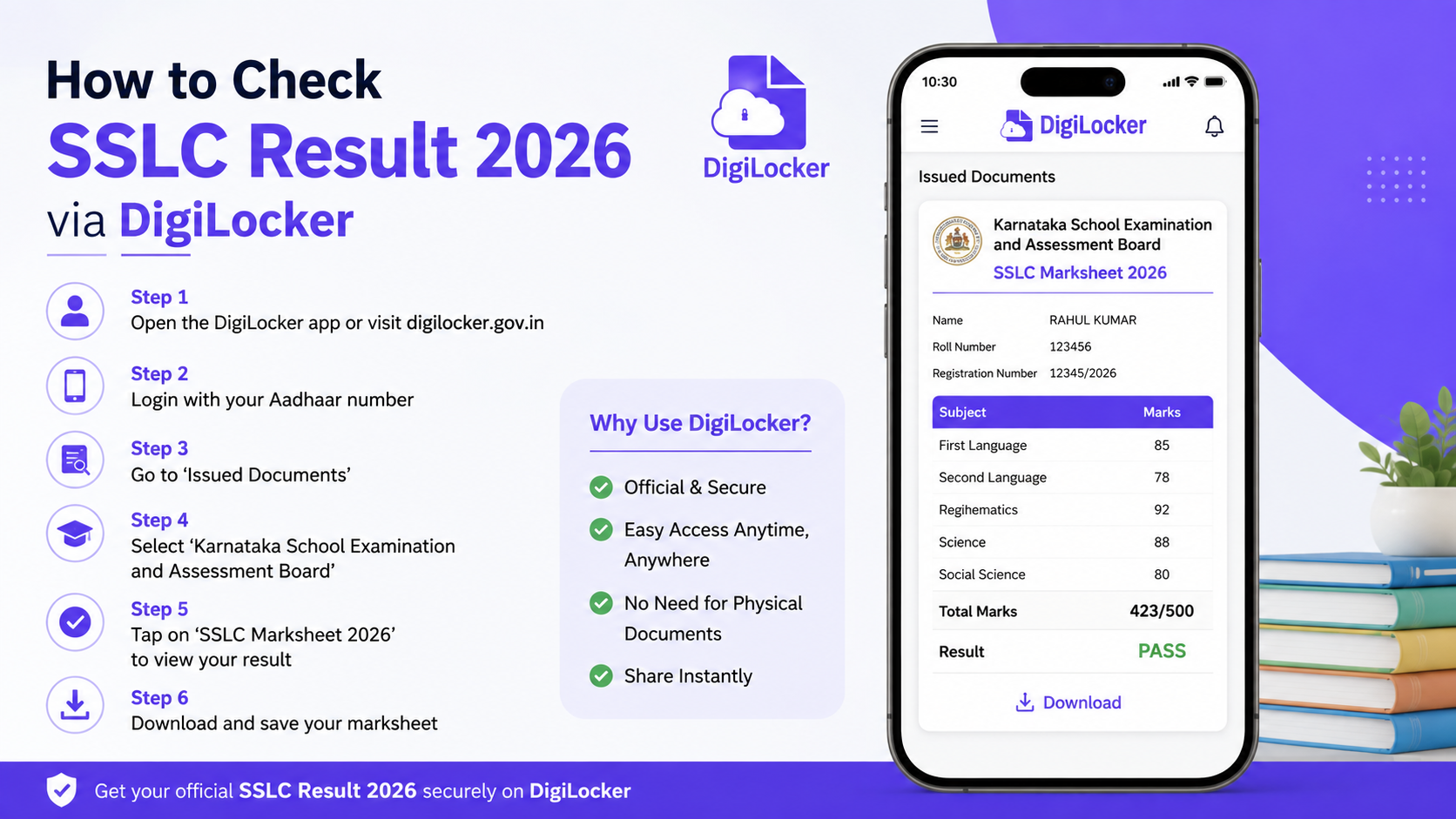
The official KITE result portal is the most straightforward route for obtaining a printable electronic result copy.
Step 1: Open the official KITE SSLC result page
Visit results.kite.kerala.gov.in and select the SSLC 2026 result option. You can also open the direct SSLC result login page.
Check that the page refers to:
- Kerala SSLC Results 2026
- Board of Public Examinations
- Government of Kerala / General Education Department
Step 2: Enter your register number and date of birth
Type the register number and date of birth exactly as they appear on the hall ticket. Review both fields before submitting.
Avoid guessing the date format. If the portal shows dd/mm/yyyy, enter the day first, then month, then year. For example, a date of birth on 7 February 2010 should be entered as 07/02/2010 when that format is requested.
Step 3: View the result carefully
After successful submission, the result page can display candidate and school details along with subject-wise grades. Before downloading anything, verify:
- Candidate name
- Register number
- School name
- Subject-wise grades
- Overall eligibility status, where displayed
The official Pareeksha Bhavan result service explains common status abbreviations:
| Abbreviation | Meaning |
|---|---|
| EHS | Eligible for Higher Studies |
| NHS | Not Eligible for Higher Studies |
| Ab | Absent |
| RAL | Result will be announced later |
If any result detail appears incorrect, do not alter or edit the PDF. Preserve the page, take a screenshot if helpful, and contact your school or the official examination authority.
Step 4: Select “Print / Save as PDF”
On the KITE result page, select Print / Save as PDF. This generates an electronic copy from the official portal.
If the button is not visible, wait for the result page to finish loading. Do not refresh the page repeatedly, as this may create avoidable traffic during busy result hours.
Step 5: Save the PDF to a known location
In the browser print window:
- Select Save as PDF as the destination or printer.
- Choose Portrait orientation unless the preview clearly fits better in landscape.
- Use the default paper size, usually A4.
- Turn on background graphics only if the preview needs them to show the page properly.
- Select Save.
- Name the file clearly, such as
SSLC_Result_2026_RegisterNumber.pdf. - Save it in a folder you can locate later, such as Documents or a dedicated Exam Results folder.
Open the saved file once to confirm that it contains the full result page and is readable.
How to Print Your SSLC Result Correctly
A printout can be useful for your records and for temporary school or admission-related reference. However, it does not replace the original mark sheet issued separately by the Board of Public Examinations.
Printing from the result page
If you have not saved a PDF yet:
- Open the official result page.
- Select Print / Save as PDF.
- In the print window, choose your connected printer.
- Select A4 paper.
- Check the preview for cut-off text, blank pages, or missing grades.
- Print one clean copy.
Printing a saved SSLC result PDF
If you already downloaded the file:
- Open the PDF in a browser or PDF reader.
- Press
Ctrl + Pon Windows orCommand + Pon Mac. - Choose A4 paper and normal margins.
- Use the preview to make sure the page is complete.
- Print the required number of copies.
Use colour printing only if a school, institution, or employer specifically asks for it. A clear black-and-white copy is generally easier to read and costs less.
Before handing over a printout
Check the printout for these common issues:
- Register number is visible
- Candidate name is legible
- All subject grades appear
- Result status is not cut off
- The webpage URL, browser header, or unwanted blank pages are not obscuring result details
Keep one untouched copy for your personal records. If an institution needs proof before original documents are issued, ask it whether an online result printout is acceptable for that purpose.
Is the Online SSLC Result PDF an Original Mark Sheet?
No. The result PDF downloaded or printed from the official online portal is an electronic result copy for immediate information.
Both the KITE result portal and the Pareeksha Bhavan SSLC result service state that online results cannot be treated as the original mark sheet or certificate. The original mark sheet is issued separately by the Board of Public Examinations.
This distinction matters for admissions, identity verification, scholarship applications, and document submission. An organisation may accept the online copy temporarily, but its own document rules determine whether it requires the original mark sheet later.
Never modify, crop out important information, or add marks to an electronic result copy. If a detail is disputed, use the official correction, scrutiny, photocopy, or revaluation process notified by the examination authority.
What to Do If the SSLC Result Website Does Not Open
Result portals can experience heavy traffic when results are released. A slow page does not mean your result is unavailable.
Try these steps in order:
- Wait a few minutes and reload once.
- Use the official alternative portal, such as the Kerala Government examination-results portal.
- Open the page in a private or incognito browser window.
- Clear browser cache if the official KITE page specifically advises it.
- Switch between Wi-Fi and mobile data if your connection is unstable.
- Recheck the register number and date format against your hall ticket.
- Contact your school if the portal continues to reject correct details.
Do not pay any person or website to “unlock,” “fast-track,” or download your SSLC result. The verified official portals provide result access without relying on third-party agents.
For technical queries related to the Kerala SSLC iExaMS portal, Pareeksha Bhavan lists the helpdesk email iexamhelpdesk@gmail.com and working-day telephone numbers 0471-2546832 and 0471-2546833.
Keep Your SSLC Result PDF Safe
Treat the downloaded file as an important academic record.
Use these practical safeguards:
- Save the original downloaded PDF without editing it.
- Keep a backup in a secure cloud account or encrypted drive.
- Email a copy to yourself only if your email account is protected with a strong password and two-factor authentication.
- Do not upload the PDF publicly; it may contain personal and school information.
- Keep a printed copy in a document folder until you receive the original mark sheet.
- Record the official portal from which you downloaded it and the date you saved it.
A sensible file name helps avoid confusion later. Include the examination, year, and register number, but avoid adding sensitive personal details unnecessarily.
Frequently Asked Questions
Can I download the Kerala SSLC result 2026 as a PDF?
Yes. After viewing the result on the official KITE SSLC portal, use the available Print / Save as PDF option. Your browser will then let you save the displayed result as a PDF file.
What credentials are required to check the SSLC result?
The official KITE Kerala SSLC 2026 page requires the candidate’s six-digit register number and date of birth. Use the details printed on the hall ticket.
Is the downloaded SSLC result PDF valid as the original mark sheet?
No. It is an electronic result copy for immediate information. The Board of Public Examinations issues the original mark sheet separately.
Why does the portal say my date of birth is invalid?
First, compare it with the hall ticket. Then check the required format on the portal. The KITE page uses dd/mm/yyyy, while other official services may show dd-mm-yyyy.
What should I do if my result shows “RAL”?
“RAL” means Result Will Be Announced Later on the official Pareeksha Bhavan SSLC result service. Contact your school or follow notices on the official SSLC iExaMS portal for the next official update.
Conclusion
To download your SSLC result PDF for Kerala SSLC Examination March 2026, use the official KITE results portal, enter your register number and date of birth from the hall ticket, review the displayed result, and select Print / Save as PDF. Save a clean copy, print it on A4 paper if needed, and retain it securely.
Most importantly, use the online result for immediate reference only and collect the original mark sheet issued separately by the Board of Public Examinations.